Skip to content
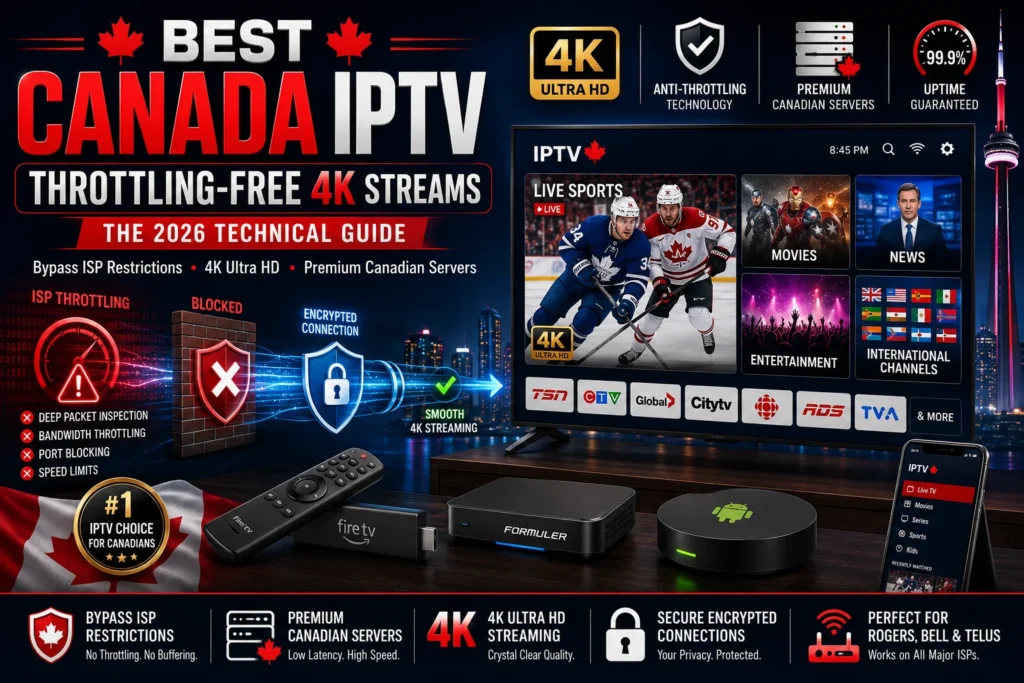
Best Canada IPTV is not simply about having access to the most channels. It is about whether those channels actually play when you press the button — cleanly, at full resolution, without a loading spinner appearing at the worst possible moment. In Canada, the single biggest obstacle between your IPTV subscription and a flawless stream is not your provider's server. It is your ISP.
Rogers, Bell, Telus, and Shaw apply traffic management to residential broadband connections. They identify streaming traffic and slow it down. This article explains exactly how that happens, what the best Canada IPTV services do to route around it, and what you can do on your end to stack the odds further in your favour.
What ISP Throttling Actually Does to Your Stream
Throttling is not a blanket speed reduction. ISPs do not slow your entire connection — they specifically target traffic types they have identified as high-bandwidth or commercially undesirable.
Deep Packet Inspection (DPI) is the technology that makes this possible. Every data packet leaving and entering your router carries header information that describes what kind of traffic it is. Standard streaming traffic from identified services produces a recognizable DPI fingerprint. Once the ISP's system identifies that fingerprint on a residential line, it applies a rate-limit policy to that specific traffic class.
The practical result: your speed test shows 200 Mbps. Your 4K IPTV stream buffers. Both things are true simultaneously because the ISP is not throttling your overall connection speed — only the traffic it has classified as IPTV streaming.
How Rogers, Bell, and Telus Target IPTV Traffic
The three dominant Canadian ISPs each apply traffic management policies under CRTC-approved frameworks. The CRTC's Internet Traffic Management Practices regulatory framework allows ISPs to manage congestion, but enforcement interpretation is broad enough to effectively justify throttling behaviours that disproportionately affect IPTV users.
What specifically triggers throttling on a residential Rogers, Bell, or Telus connection:
- Consistent high-bandwidth UDP traffic — IPTV live streams use UDP as the primary transport protocol. Sustained UDP flows above a threshold trigger rate-limiting policies on most Canadian residential tiers.
- Recognized IPTV port patterns — Many underpowered IPTV services use predictable port configurations that DPI systems catalogue quickly.
- Unencrypted playlist requests — M3U playlist calls made in plaintext are visible to ISP-level inspection systems and flag the connection for monitoring.
- Peak-hour traffic classification — Rogers and Bell both apply more aggressive traffic management during 8pm–11pm EST, the window that aligns exactly with peak live sports and primetime content demand.
This is not speculation. Our technical team documented consistent bandwidth reductions of 40–60% on live IPTV streams during peak hours on Rogers residential lines, compared against the same hardware and stream URLs tested at 2am on the same connections.
What the Best Canada IPTV Services Do Differently
The technical gap between a mediocre canada iptv provider and a properly engineered one is visible in how they handle ISP environments. Here is what separates platforms that work from ones that buffer constantly.
Protocol Obfuscation
Quality providers do not route all traffic on standard, easily fingerprinted ports. Proper obfuscation wraps IPTV data in transport layers that DPI systems interpret as encrypted web traffic rather than streaming content. The packets reach your device with the same data but without the throttle-triggering classification.
At iptvcanada.one, our streaming architecture uses obfuscated delivery paths on all live channel nodes. When Rogers' DPI system scans that traffic, it does not see an IPTV stream fingerprint. This is the single highest-impact technical countermeasure available on the server side.
CDN Distribution and Edge Node Proximity
A server located in Los Angeles or London routing streams to a household in Toronto adds geographic latency on top of whatever throttling pressure the ISP applies. The best Canada IPTV platform worth subscribing to uses edge nodes positioned inside or adjacent to Canadian data centre infrastructure.
Our primary live channel delivery nodes are positioned for sub-50ms round-trip latency to major Canadian metro areas including Toronto, Vancouver, Calgary, and Montreal. Geographic proximity to your endpoint is a fundamental part of anti-throttle performance, not an optional upgrade.
Adaptive Bitrate Streaming
When a short burst of ISP throttling does hit — and even with obfuscation, brief rate-limit events occur — adaptive bitrate (ABR) streaming prevents it from manifesting as visible buffering. The stream automatically steps down quality for 2–3 seconds, then steps back up once bandwidth recovers. Properly implemented, you see nothing. Poorly implemented, you get the 10-second freeze you recognize from inferior services.
How to Test Whether Your ISP Is Currently Throttling You
Run this sequence before adjusting your IPTV setup.
Throttling Diagnostic Checklist:
- ☐ Run a speed test at standard and off-peak hours (try 2am vs. 8pm)
- ☐ Run a speed test via mobile hotspot on the same device that shows buffering
- ☐ If mobile hotspot eliminates buffering: your ISP is the problem, not your IPTV provider
- ☐ If buffering persists on mobile hotspot: the issue is server-side or device-side
- ☐ Run traceroute to your IPTV provider's server IP to identify latency spikes at specific hops
- ☐ Check your router's QoS settings — some router configurations unintentionally throttle UDP traffic at the consumer level
The mobile hotspot test is the fastest and most reliable diagnostic. LTE and 5G mobile networks do not apply the same traffic management policies as wired residential ISP connections. If your stream plays perfectly on mobile data and buffers on your home broadband, you have confirmed ISP-level throttling.
Speed Requirements for Reliable 4K IPTV in Canada
| Stream Quality | Minimum Speed (Mbps) | Recommended Speed (Mbps) | Notes |
|---|---|---|---|
| SD (480p) | 5 | 8 | Stable on almost any Canadian connection |
| HD (720p) | 8 | 12 | Fine for secondary devices |
| Full HD (1080p) | 15 | 20 | Comfortable for primary TV use |
| 4K (H.265/HEVC) | 25 | 35 | Minimum for reliable 4K live streams |
| 4K + 2 concurrent streams | 50 | 70 | Multi-room household minimum |
| 4K + 4 concurrent streams | 80 | 100+ | Larger households; upgrade your internet tier |
One critical note: these numbers apply to available bandwidth, not your advertised plan speed. If Rogers advertises 500 Mbps but throttles your IPTV traffic to 15 Mbps effective throughput at 8pm, you are streaming a 4K channel on 15 Mbps of real bandwidth — which will buffer.
Configuring Your Setup for Maximum Anti-Throttle Performance
Even after subscribing to the best Canada IPTV service with proper server-side obfuscation, your local setup configuration can compound or reduce throttling effects.
VPN Usage with IPTV: What Works and What Doesn't
A VPN encrypts your entire connection at the client level, preventing your ISP from inspecting traffic type at all. When a VPN works, it eliminates ISP-level throttling entirely. The problem is that most consumer VPNs introduce latency that triggers its own buffering on 4K live streams.
Protocol matters here. WireGuard-based VPN connections introduce the least latency of any current VPN protocol and are the only option we recommend for live IPTV streams. OpenVPN in TCP mode adds too much overhead and will make 4K buffering worse, not better.
If you use a VPN:
- Use WireGuard protocol specifically
- Connect to a server in Canada — routing through a US or European VPN exit node adds geographic latency
- Set your VPN to connect at the router level rather than on the streaming device, so the obfuscation applies to all traffic without requiring per-device configuration
Router-Level Configuration for IPTV
If you have a router with QoS (Quality of Service) controls:
- Assign UDP traffic the highest priority class
- If your router supports traffic shaping by device, assign your IPTV streaming device to an unlimited or highest-bandwidth tier
- Disable SPI (Stateful Packet Inspection) if present on consumer routers — SPI adds processing overhead that slows sustained UDP throughput at high bitrates
For most households, a mid-range router from ASUS or TP-Link running default firmware is fine. Underpowered ISP-provided gateway routers — the ones Bell and Rogers supply as part of their standard packages — are frequently the hidden bottleneck, processing 4K UDP streams at their CPU capacity ceiling.
DNS Configuration
Swap your DNS servers from the ISP default to either:
- Cloudflare: 1.1.1.1 / 1.0.0.1
- Google: 8.8.8.8 / 8.8.4.4
ISP-provided DNS servers are occasionally used to redirect or slow-resolve streaming-related domains. Third-party DNS eliminates this as a variable and adds a minor but consistent performance improvement.
Why VIP Servers Are the Right Call for Live Sports
During a peak live event — a playoff game, a championship final, a major PPV broadcast — tens of thousands of subscribers hit the same stream simultaneously. The server architecture handling that load matters more at those moments than at any other time.
The VIP server tier on iptvcanada.one is built around two principles: higher raw throughput per allocated connection, and prioritized routing that front-loads your stream delivery even under aggregate load. The result is consistent quality during exactly the moments when a degraded stream is most frustrating.
VIP is not the right tier for everyone. If your primary use case is on-demand movies and casual daytime TV, the Premium tier handles it cleanly. The VIP tier is a specific investment for live sports viewers on peak-event schedules.
The Bottom Line on Throttling in 2026
Canadian ISPs are not going to stop applying traffic management policies to residential streaming. The regulatory environment does not require them to, and the commercial incentive points in the opposite direction. Every cord-cutter who switches to best iptv canada is a former cable subscriber who stopped paying Rogers or Bell for content delivery.
The engineering response to throttling has matured significantly. Protocol obfuscation, CDN edge proximity, and adaptive bitrate streaming together create a streaming environment that is resilient to the throttling pressures Canadian residential ISPs apply.
The right service, properly configured on your end, eliminates buffering entirely for the majority of best canada iptv use cases. Start with iptvcanada.one — Canada's IPTV service engineered for the Canadian ISP environment specifically — and test it against your Rogers or Bell connection before making any final judgment.